
Guide
What is a Unix timestamp and how is it calculated?
Understand what Unix time measures, where its epoch starts, and how elapsed seconds map to an exact UTC date.
by Tools in a Tab · Published on · Updated
Short answer
A Unix timestamp represents time as an amount measured from one shared instant:
1970-01-01 00:00:00 UTC, known as the Unix epoch. The traditional unit is
seconds, although many APIs and languages use milliseconds, so the unit is part
of the data contract.
The converter opens in the selected direction. Confirm seconds or milliseconds for a timestamp, or local time versus UTC for a date. Use current time calculates from this browser’s clock; it is not a synchronized time service.
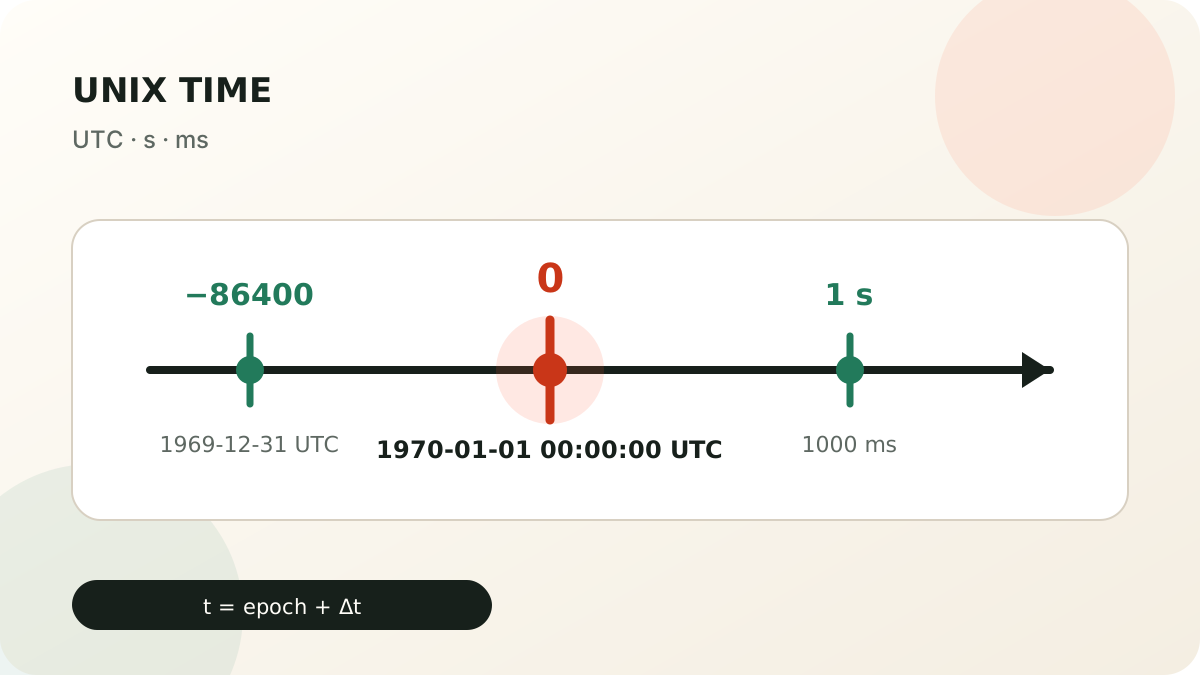
Three examples that establish the model
| UTC date | Unix seconds | Unix milliseconds |
|---|---|---|
| 1970-01-01 00:00:00 | 0 |
0 |
| 1970-01-01 00:00:01 | 1 |
1000 |
| 2000-01-01 00:00:00 | 946684800 |
946684800000 |
The timestamp does not store a weekday, a time zone, or a visual format. It
stores a point on the timeline. Rendering that point as 01/01/2000,
1999-12-31 19:00, or 2000-01-01T00:00:00Z is a separate formatting and time
zone decision.
How the value is calculated
Conceptually, subtract the UTC epoch from the UTC instant and express the difference in the chosen unit:
seconds timestamp = (UTC instant - UTC epoch) / 1 second
milliseconds      = (UTC instant - UTC epoch) / 1 millisecond
Exactly one day after the epoch is 24 × 60 × 60 = 86400 seconds. One day
before it is -86400. A negative timestamp is not inherently invalid; it
represents an instant before 1970.
Verify the calculation in JavaScript
This round trip uses the year-2000 example above, not a changing clock value:
const seconds = 946684800;
const date = new Date(seconds * 1000);
const utc = date.toISOString();
const secondsAgain = date.getTime() / 1000;
// utc: "2000-01-01T00:00:00.000Z"
// secondsAgain: 946684800
Date takes milliseconds, getTime() returns milliseconds, and
toISOString() formats the instant in UTC, as documented by
MDN.
Passing 946684800 directly to new Date() instead produces
1970-01-11T22:58:04.800Z: the number was interpreted in the wrong unit, not
the wrong time zone.
For the current whole-second value, Math.floor(Date.now() / 1000) deliberately
drops the millisecond fraction. Keep Date.now() when the consumer needs
milliseconds. Do not round a stored timestamp unless its contract permits
losing that precision.
Without writing code, open the
timestamp-to-date converter,
confirm Seconds (s), enter 946684800 and convert. Check the
UTC result against the table. The
dedicated seconds versus milliseconds guide
covers fractional values and unit diagnosis in more detail.
What Unix time does not solve
- It does not identify the time zone used to enter a local date.
- It does not prevent missing or repeated local times during clock changes.
- It does not reveal whether an undocumented number uses seconds or milliseconds.
- It does not prove that the source clock was synchronized.
- Everyday Unix time normally does not count leap seconds.
Use the date and Unix timestamp converter
to choose the unit and time basis explicitly. JWT NumericDate uses the same
origin and counts seconds while ignoring leap seconds, as defined by
RFC 7519.
Quick sanity check
A current value with about ten digits is probably seconds; thirteen digits
often means milliseconds. That is only a clue. Confirm the producer’s contract
before converting. Multiplying or dividing by 1000 must change the unit, not
the instant.